


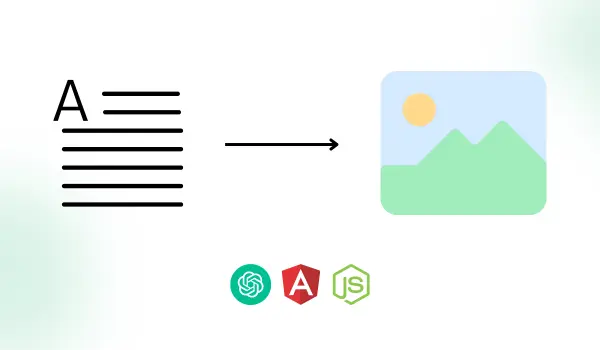
Let’s dive deep into image generation with Nodejs & openAI.
In the AI-running era, openAI comes with one more helpful feature image generation, to generate unique images based on a text prompt describing how you would like the image to be generated.
To know in detail about Nodejs & openAI image generation api, recommend you to look here at ChatGPT with NodeJs which covers below topics,
- What is ChatGPT?
- Generate OpenAI API Key
- Install the OpenAI package in Nodejs
Basics of Image Generation with Nodejs & openAI Image Generation API:
For generating images based on text, openAI uses the trained neural network model DALL·E which can create realistic images from a description in natural language.
About image generation openAI DALL·E Model :
DALL-E is a powerful and versatile model that can generate images from text. It is based on the GPT-3 language model, which can generate coherent and diverse text on almost any topic.
DALL-E combines the text generation capabilities of GPT-3 with a novel image generation technique that uses discrete variational autoencoders (VAEs) to compress and decompress images into discrete tokens.
This allows DALL-E to manipulate both text and image tokens in a single stream of data, and generate images that are consistent with the text input.
About openAI image generation API:
We’re going to use the ‘create image’ image generation openAI API in Nodejs. Below parameters accepted by this API.
Size:
Generated images can have a size of 256x256, 512x512, or 1024x1024 pixels. optional
n(Number of images):
At a time, API can generate 1-10 numbers of images, you can pass as required. optional
Prompt:
The text description, based on it the images will be created. required
Response_format:
In the response image generation API, you will get either the “URL” of the images or “b64_json”. optional
User:
In this, you can pass a unique identifier to secure access. optional
Image generation with Nodejs & openAI API:
Let’s start with a route. To create a route, we need to create an openaichatGPTRoutes.ts file:
openaichatGPTRoutes.ts
Here the openaiGenerateImage function of the openaiChatGPTController file is getting called. Next, create one controller file named openaiChatGPTController.ts with the same function.
openaiChatGPTController.ts
This function will make a request and generate a response by calling the createImageBasedOnText method of the openaiChatGPTService.ts service file.
Now let’s create one service file openaiChatGPTService.ts and simply add the below code.
openaiChatGPTService.ts
Now create one file named openai.ts. It includes all the code related to OpenAI image generation “Create Image” API.
It will take a request and return the response based on the prompt you have passed. Add the below code to the file.
openai.ts
In the “Create Image” API of OpenAI, we have passed the below params :
- prompt : Text description of how you would like the image to be generated. You can pass the description of a maximum of 1000 characters.
- n : Number of images you want to generate. You can pass the value between 1 to 10. It’s an optional field. By default, it will generate only one image.
- size : Size of images you want to generate in pixels. You can pass 256x256, 512x512, or 1024x1024. It's an optional field. If you don’t pass size by default the image will be generated in 1024x1024 size.
For more information about the Create Image API, please refer to the official OpenAI image generation API documentation :
https://platform.openai.com/docs/api-reference/images/create
Preview of Nodejs & openAI Image Generation:
We used angular for the front-end application & integrated API that we created.
Here is a preview of how our application will look after nodeJS API integration.
FAQs
How can we achieve image generation using OpenAI & Nodejs?
Node.js is a popular server-side javascript backend framework. To use openAI APIs in Nodejs, install the 'openai' package with the command: npm install openai.
openAI provides image generation API to generate unique images based on a text prompt describing how you would like the image to be generated.
Once image generation is done by openAI, we will either get the “URL” of the images or “b64_json” format as an output.
Which OpenAI model used for image generation in Node?
OpenAI uses DALL·E, a trained neural network model that can generate realistic images from natural language descriptions. You can find more information about DALL·E here.
How OpenAI image generation works?
To create images with OpenAI, we need to use machine learning models, especially deep neural networks, that can generate images from text prompts. We can make a request to the OpenAI’s Create Image API with the following parameters :
- prompt : A text description of the image we want to create. The description can have up to 1000 characters.
- n : The number of images we want to create. We can choose a value from 1 to 10. This is an optional parameter. The default value is 1.
- size : The size of the images we want to create in pixels. We can choose 256x256, 512x512, or 1024x1024. This is an optional parameter. The default value is 1024x1024.
The API will then process our prompt and return a response with the images based on our description. You can find more details about the API in the OpenAI API documentation.
Let’s discuss about your next AI, Cloud or Digital Transformation.
 AI-Skilled & Agile
 Transparent, Trustworthy &
Vetted team Not tech, but business &
customer first approach




 Turn your idea into MVP in 8-16 weeks