



AI is everything nowadays and AI will be the future. We have to commit that Artificial intelligence can challenge Human Intelligence in some ways. This is the bold statement from myside to have you on with our tech team to understand the Image Recognition with AWS and Angular, one of widely used feature in AI implementations. Let’s get started with some questions...
- Want to recognise objects, people, text, etc finely things within image or video?
- But not having expertise in machine learning technologies?
Not to worry… Here is one standard solution for you. From a image / video easily recognize the things you want, using 'Image recognition' with AWS and Angular. Sound simple right? (Of course you should be aware with Angular and AWS to kick off).
Image Recognition is a popular AI feature in demand. With zero knowledge of machine learning frameworks, the angular developer can easily implement Image recognition using AWS. To implement this, the AWS Image Recognition service would be the best choice. We ownAI technical team here to share the implementation with you all, to save your time and effort. Also, our team is ready to help the readers, if they have anything in mind related to this topic.
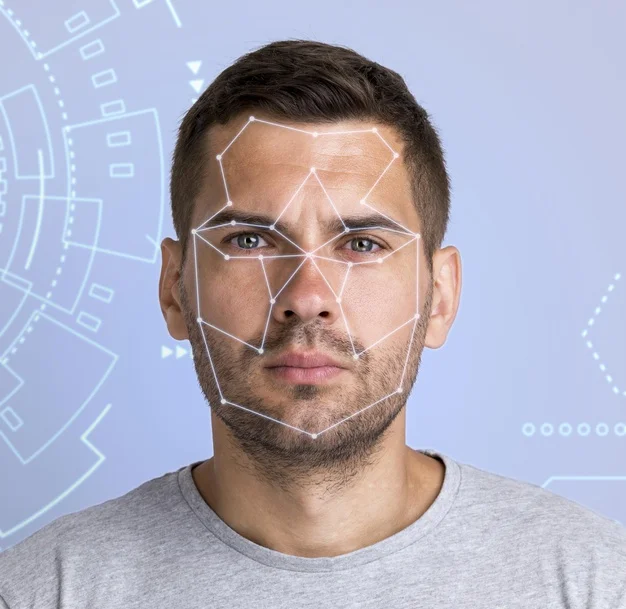
We've developed this feature using AWS Image Recognition Service in Angular and AWS. The best thing about it is, it is highly standard and scalable and easy to implement. A developer need to submit an image or a video to AWS Image Recognition SDK. And no need to worry about rest recognition calculations, because all will be performed by AWS Recognition service. Let’s see how AWS Image Recognition works.
Looking for Full stack developer? Contact us now.
How AWS Image Recognition works?
It takes an image/video as an input from which user wants to recognise objects, text, people, people’s expressions, scenes, etc. Image Recognition service collects the image/video then scans & analyses it to identify all the objects within image/video.
In response of the recognition process, it returns the object's detailed information like,
- Labels(name of object)
- Confidence(how much the machine is confident about the recognition process of identified object)
- number of faces in the picture,etc
AWS Recognition service follows very simple scalable strategies & high detection capabilities and gives us fast results by passing the bytes of image.
The tools and technologies used here for image recognition are...
- Angular (You can use any version of Angular except AngularJs)
- AWS Image Recognition service
The process followed for image recognition operation are...
- 1. Collect the image from end user
- 2. Upload the image to s3 using angular aws-sdk
- 3. Store the url of the image given by s3
- 4. Initial set-up of AWS Image recognition service using aws-sdk
- 5. Pass the url of object into various AWS recognition API
- 6. Analyse and further use the response of the recognition process
Step wise implementation of Image Recognition with AWS & Angular:
Let's see step wise implementation brifely.
Step-1: Collect the image from end user
Install the AWS SDK to use its services in our ionic project.
npm i aws-sdk
First, we need to prepare the view part. So, go to your project folder and open src/pages/home/awsImageRecognition.html file. Paste below code to prepare image capturing view for image recognition in ionic application.
awsImageRecognition.html
Now open the src/pages/home/awsImageRecognition.ts file to have captured image file.
awsImageRecognition.ts
Step-2: Upload the image to s3 using angular aws-sdk
We are calling 'uploadImage()' method of awsImageRecognitionService and passing two argument into it. Let's open src/providers/awsImageRecognition/awsImageRecognitionService.ts file and define the method.
awsImageRecognitionService.ts
Now, let's write the logic to put the image to AWS S3. Develop a method named 's3Putimage()'. This method will give us the s3 object URL in response. We will save this URL and use it further in image recognition in angular application.
Step-3: Store the url of the image given by s3
Finally, our image is uploaded in s3 and we got object url in response. So, first step is done. Now, let’s move ahead to do image recognition operation on it in step-2.
Step-4: Initial set-up of AWS Image recognition service using aws-sdk
Here in our AWS Image Recognition service, I am implementing two methods of image recognition in angular application. One method is to recognize the objects from the image and another one is to recognize the faces from the image.
- The method is to recognize the objects from the image
First, we need to initialize the instance object of AWS image recognition then we need to initialize the params to pass into the recognition method. This method is provided and managed by AWS image recognition service. The parameters are details of S3 object in which we need to specify the bucket name and s3 image URL, detection confidence percentage, etc. This method ‘detectLabels()’ will give recognized object data in response but if something will go wrong then it will throw an error.
- The method is to recognize the faces from the image
After initializing the instance of S3, we need to initialize the parameters same as above method then we will call the specific AWS Image recognition API. The parameters should be s3 object detail in which includes bucket name and image name given in that bucket. Then we will call ‘detectFaces()’ API or method by passing the required parameters. This will give face expression data in response if the image has the face within it. Else it will throw an error if anything will go wrong.
Step-5: Pass the url of object into various AWS Image recognition API
Call getObjectRecognition() API with Bucketname and URL of image returned by s3 in step-3. This method will internally call recognition method named ‘detectLabels()’. It will give recognized object data in response but if something will go wrong then it will throw an error. If you want to detect the faces within the image, call faceDetection() method with same parameters.
Step-6: Analyse and further use the response of the image recognition process
You can analyses & use image recognition operation data provided by various recognition methods in Step-4.
Hope you found this article helpful and enjoyed the reading. Feel free to contact us in case of any queries.
Let’s discuss about your next AI, Cloud or Digital Transformation.
 AI-Skilled & Agile
 Transparent, Trustworthy &
Vetted team Not tech, but business &
customer first approach





 Turn your idea into MVP in 8-16 weeks